
All guides
Mark your booked dates
Show couples which days you're already taken, before they ask.
2 minutes 3 steps
- 1
Open Booked dates
Tap Website at the bottom, then Booked dates.
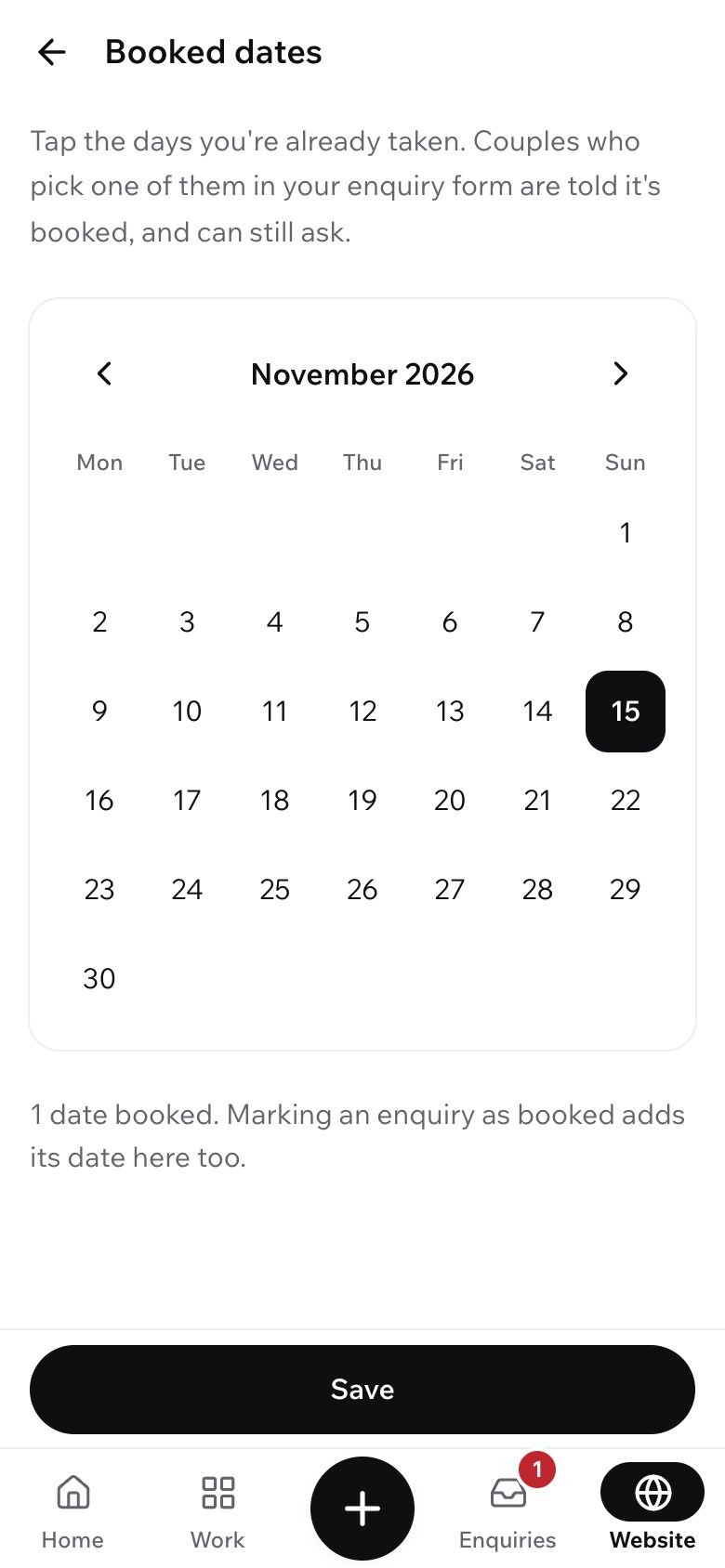
- 2
Tap the days you're taken
Tap a day to mark it booked; tap it again to open it. Use the arrows for other months, then tap Save.
Marking an enquiry as booked adds its date here for you.
- 3
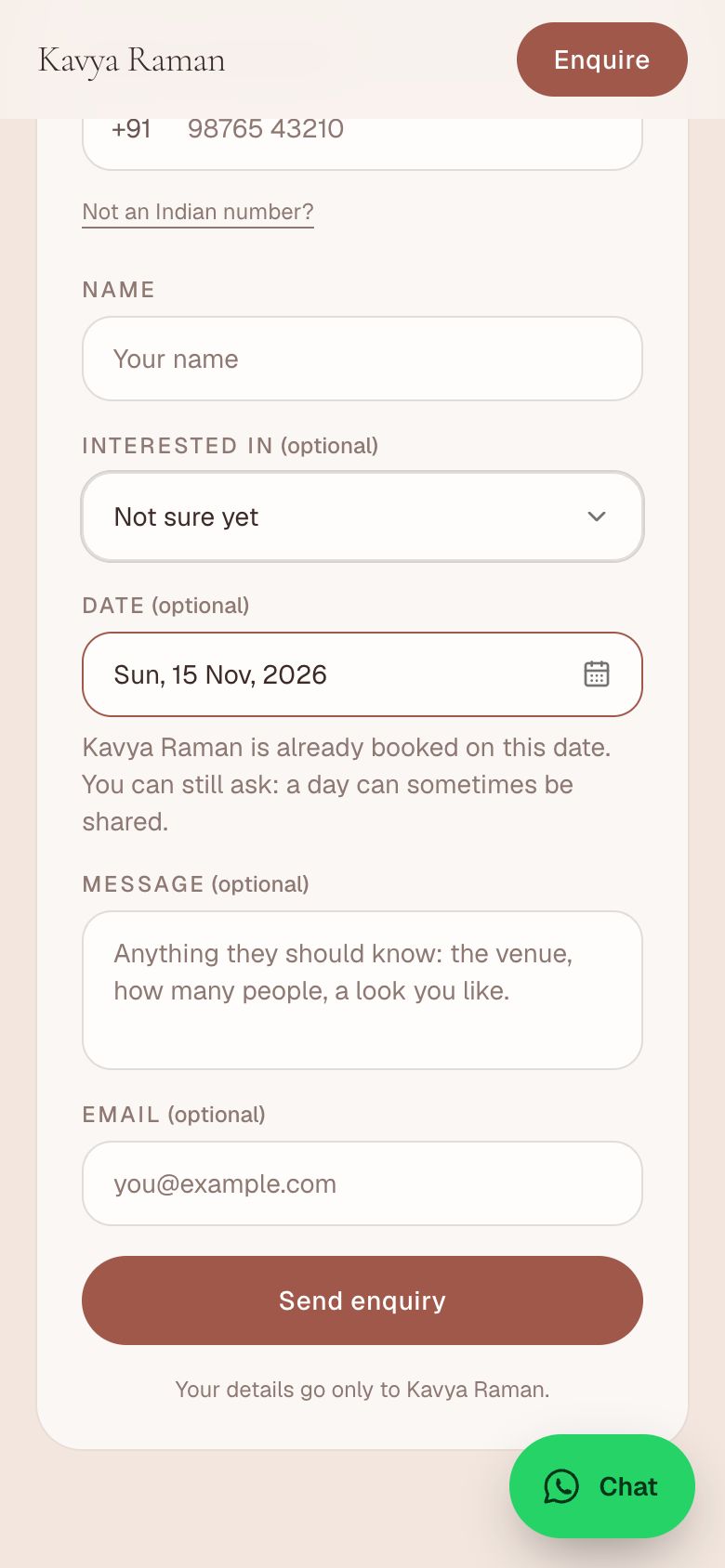
What couples see
When a couple picks a date in your enquiry form, your site tells them if it is open or already booked. They can still send the enquiry either way.
What's next?
Still stuck?
Write to us and a real person will help. A screenshot makes it quicker.
Email hello@showbook.in