
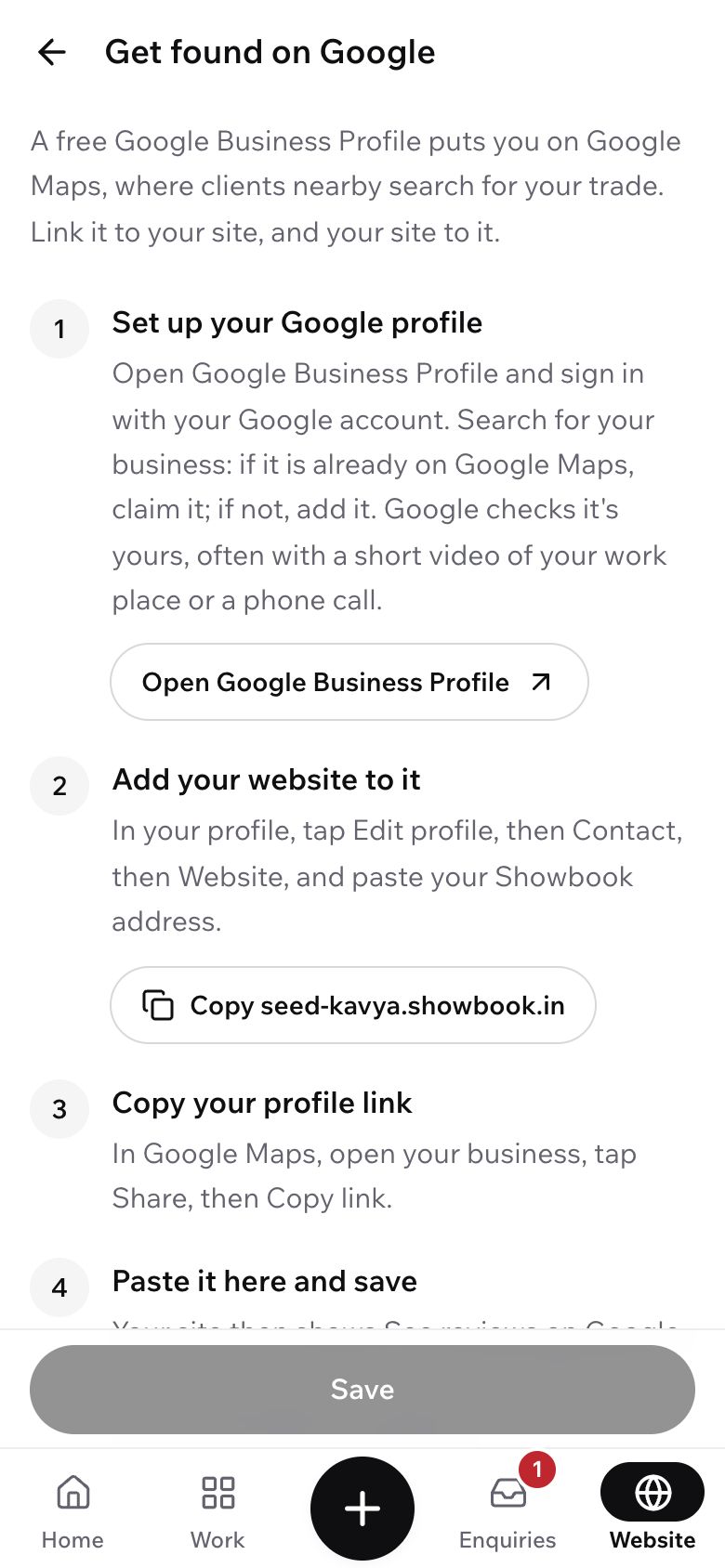
Get found on Google
A free Google profile, linked to your site, so clients near you find you on Maps.
6 minutes 5 steps
- 1
Open Get found on Google
Tap Website at the bottom, then Get found on Google. The four steps are on the screen too.
- 2
Set up your Google profile
Tap Open Google Business Profile and sign in with your Google account. Search for your business: if it is already on Google Maps, claim it; if not, add it with your trade and the areas you cover.
Google checks the business is yours, often with a short video of where you work or a phone call. It is free.
Google Business Profile
Riya Menon Makeup
Website
riya.showbook.in
Share
- 3
Add your website to it
Back on Showbook, tap Copy next to your address. In your Google profile, tap Edit profile, then Contact, then Website, and paste it.
Google Business Profile
Riya Menon Makeup
Website
riya.showbook.in
Share
- 4
Copy your profile link
In Google Maps, open your business, tap Share, then Copy link.
Google Business Profile
Riya Menon Makeup
Website
riya.showbook.in
Share
- 5
Paste it and save
On Get found on Google, paste the link under Your Google profile link and tap Save. Your site shows See reviews on Google, so clients can read what others said.
Ask happy clients to leave a review on Google. It helps the most.
What's next?
- Share your sitePut your link where clients look: Instagram, WhatsApp, cards.
- Get enquiries and replyHow clients reach you, and how to answer them fast.
Still stuck?
Write to us and a real person will help. A screenshot makes it quicker.
Email hello@showbook.in