
Add your own blocks (Pro)
Put a photo and words, a photo set, a video, numbers or a banner between your sections.
4 minutes 4 steps
- 1
Open Sections
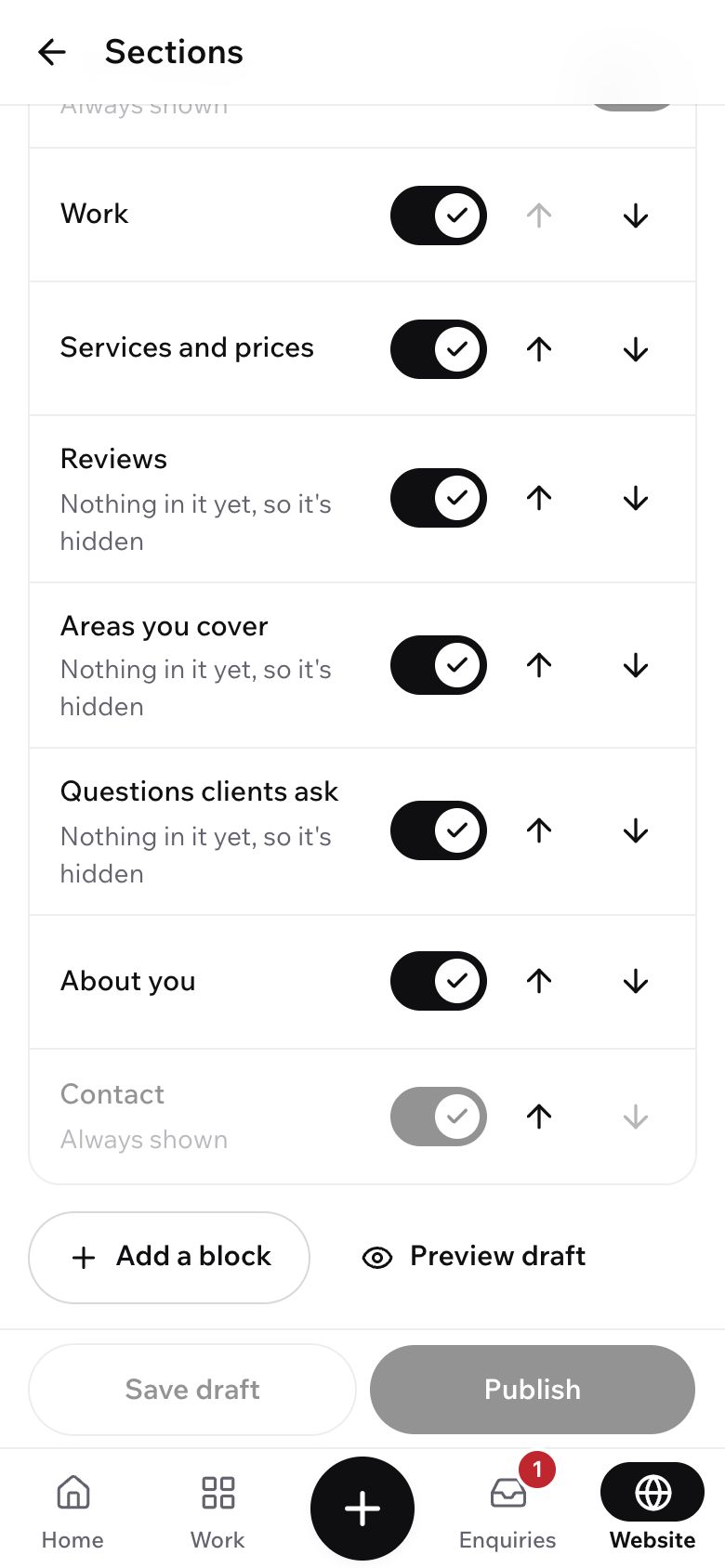
Tap Website at the bottom, then Sections. With Pro you see Add a block under the list.
- 2
Add a block
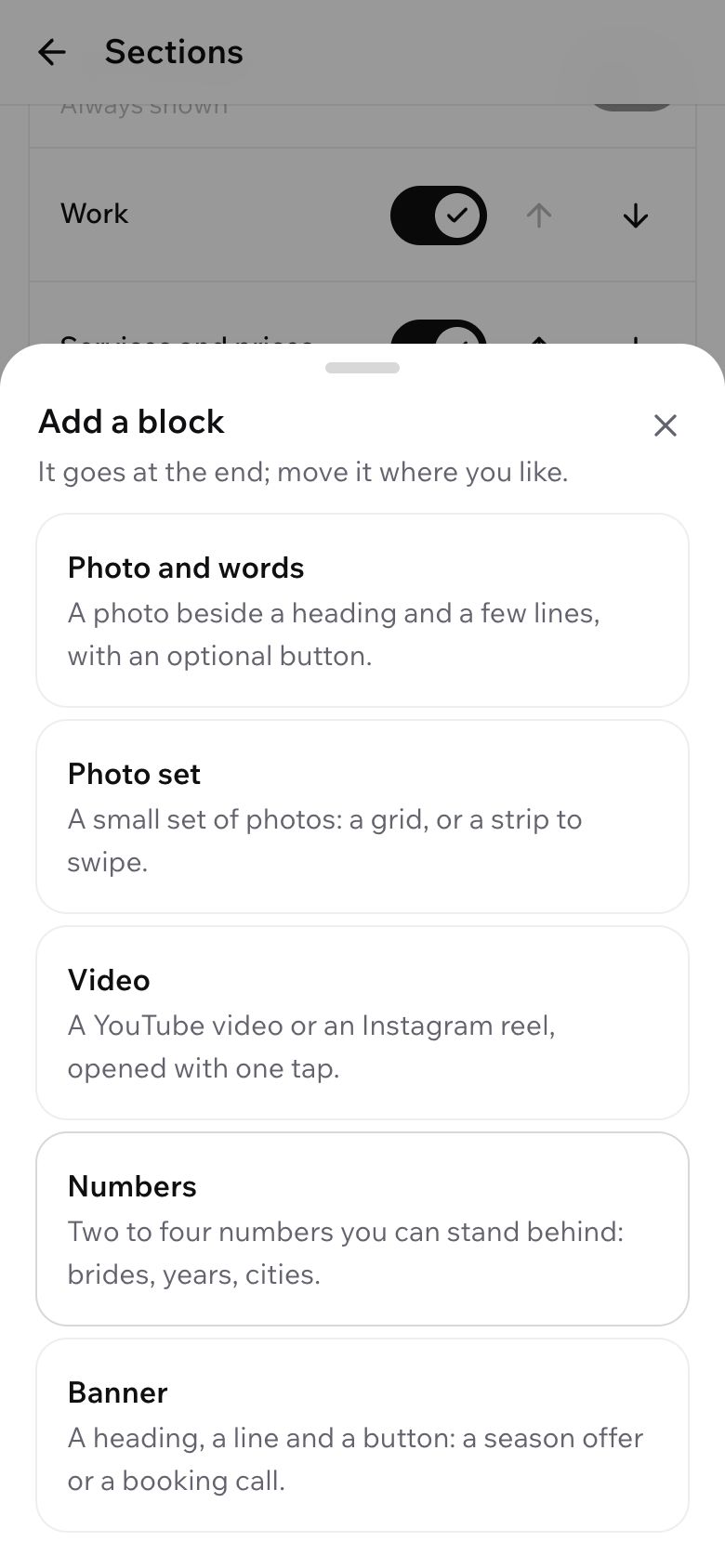
Tap Add a block and pick one: Photo and words, Photo set, Video, Numbers or Banner. It goes at the end, and its editor opens.
- 3
Fill it in
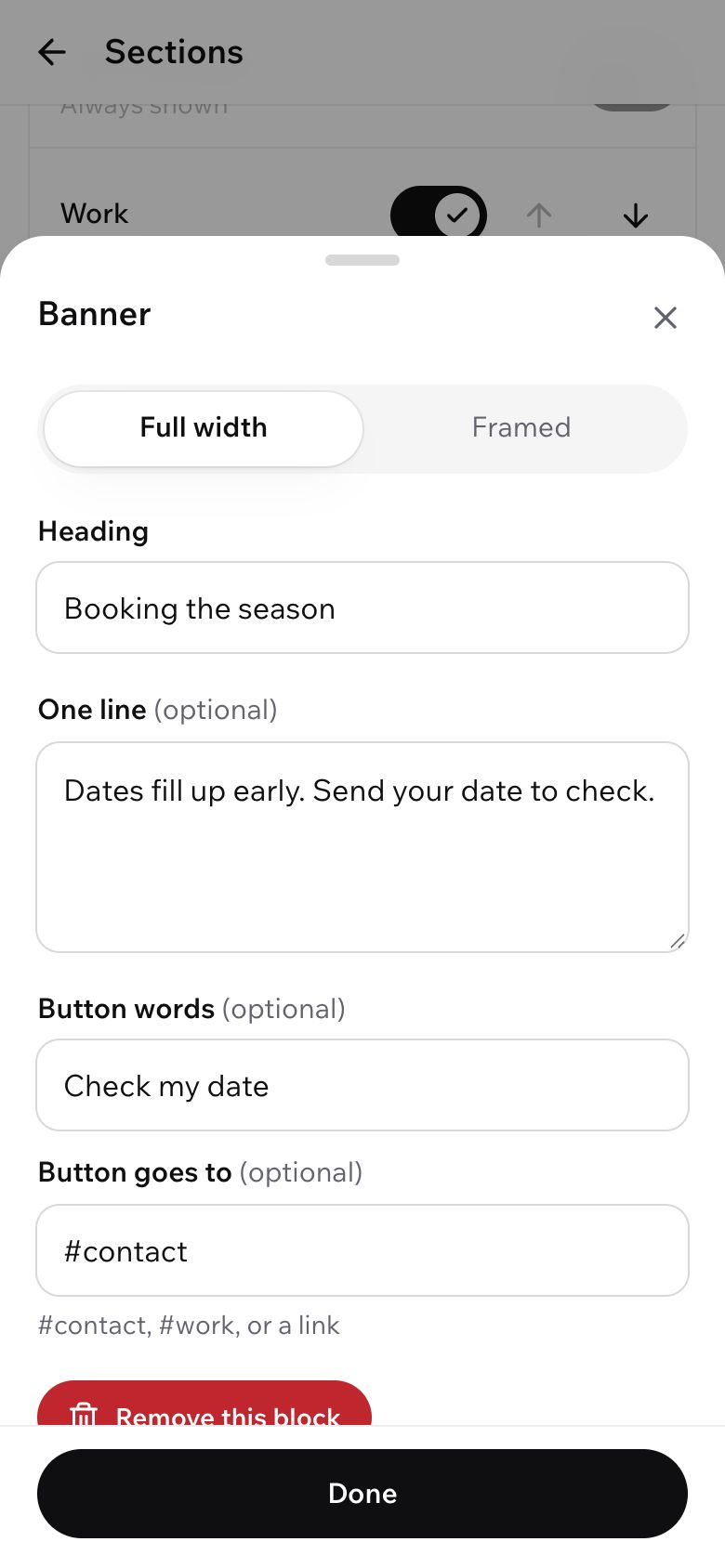
Pick a layout, type the words and add photos or a YouTube or Instagram link. Tap Done. Use the arrows to move it where you want it.
A block that isn't filled in yet stays hidden, so nobody sees the example words.
- 4
Draft, preview, publish
Tap Save draft to keep your changes without showing them. Tap Preview draft to see them on your site. When it looks right, tap Publish.
On a computer, the preview sits beside the list and updates when you save.
What's next?
Still stuck?
Write to us and a real person will help. A screenshot makes it quicker.
Email hello@showbook.in